

Microsoft added spell check to Notepad last year after killing off WordPad.
Microsoft’s biggest apps — Word, Excel, and the rest in the Office suite — have all had spell checking for a long time now. But one notable app from which it was chronically missing? Notepad!
After WordPad was killed last year, Microsoft paid a little bit of attention to Notepad by finally giving it a spell check feature. If you’re still using Notepad in 2025, you should consider turning it on now that it’s available. You never know when a typo can slip past you.
Joel Lee / Foundry
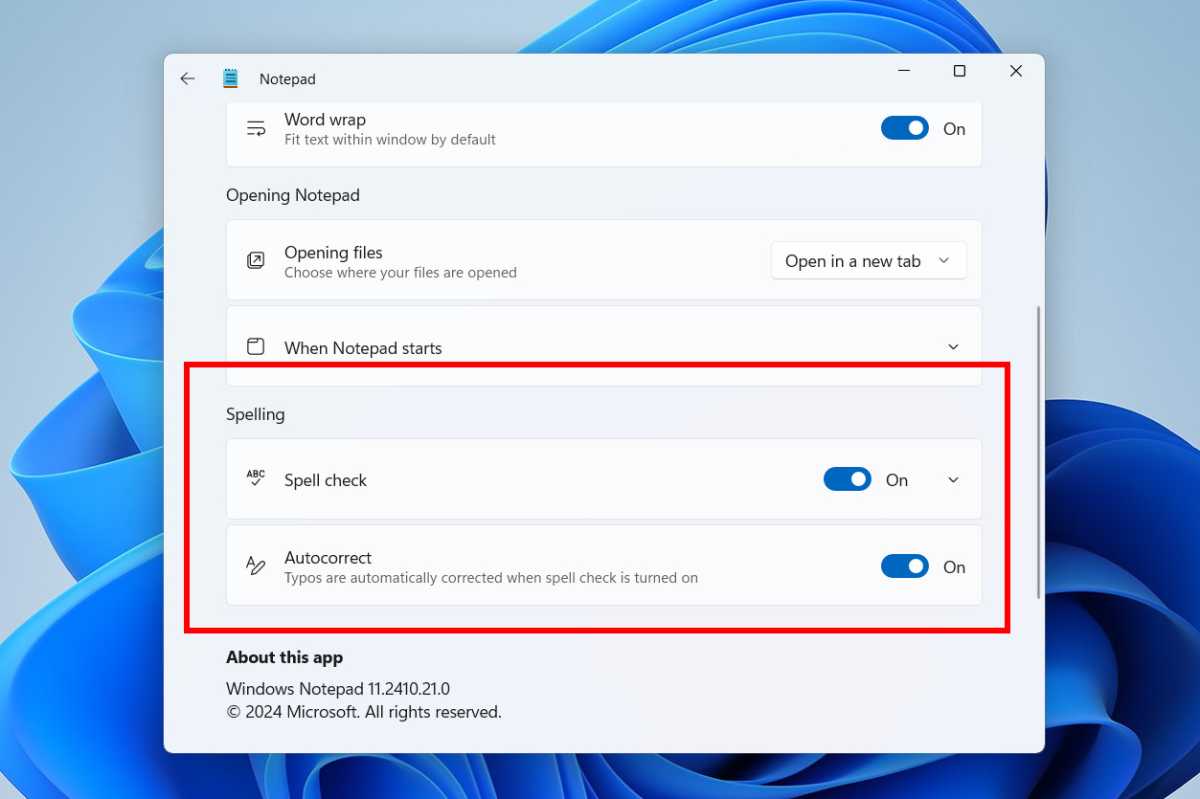
Spell check is actually on by default, but if yours isn’t enabled for whatever reason, you can turn it on by clicking on Settings (the cogwheel icon), scrolling down to the Spelling section, then toggling the button for Spell Check to On. You can also click the arrow next to the option, which unrolls a handful of file types and allows you to enable or disable spell checking for only those specific file types.
Below the Spell Check setting is another one called Autocorrect, which you can enable (if it isn’t already) to have Notepad automatically correct your typos as it detects them. This one affects all file types.