Why does Windows have to nag me all the time? It’s a question many PC users ask themselves. If you’re tired of seeing those little speech bubbles pop up in the bottom right-hand corner (aka Message Suggestions), you can actually switch that feature off–it’s pretty easy to do.
IDG / Ashley Biancuzzo
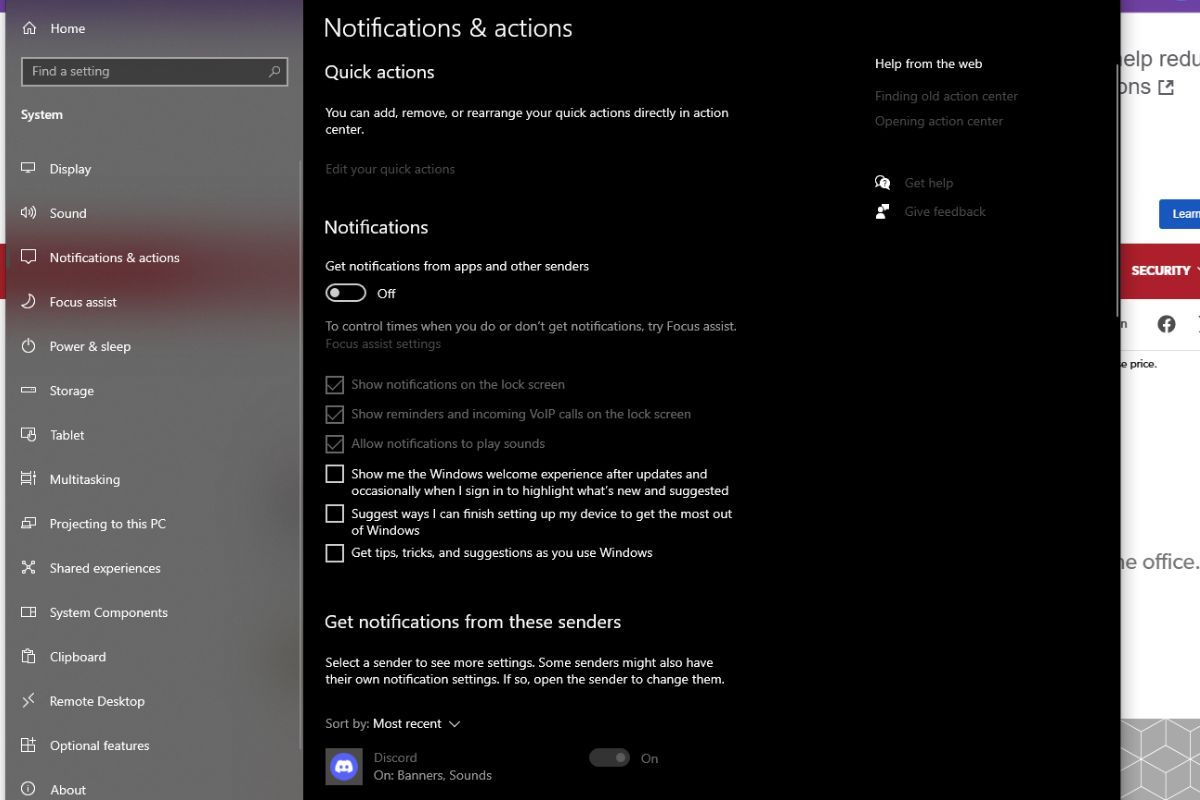
In the pop-up window, click on the three dots in the top right corner and select Disable all notifications for Message Suggestions. You can also disable these messages via the Settings menu. Type Settings in the search bar on the bottom left of the screen, open the Settings menu, navigate to Notifications & actions, and set the slider to the off position underneath Get notifications from apps and other senders.