Conserving power is the way to go.
If you’re looking to lengthen the life of your laptop, listen up. Changing your power settings can help conserve battery life by preventing the laptop from using all of its power. Adjusting these settings is relatively easy to do and has little impact on the daily use of your device. Read on to learn more.
Are you in the market for a brand new laptop? If so, check out our roundup of the best laptops available today.
How to make your laptop more energy efficient
You can find your laptop’s energy settings in the Settings menu. To get to Settings, click on the gear icon in the Start menu.
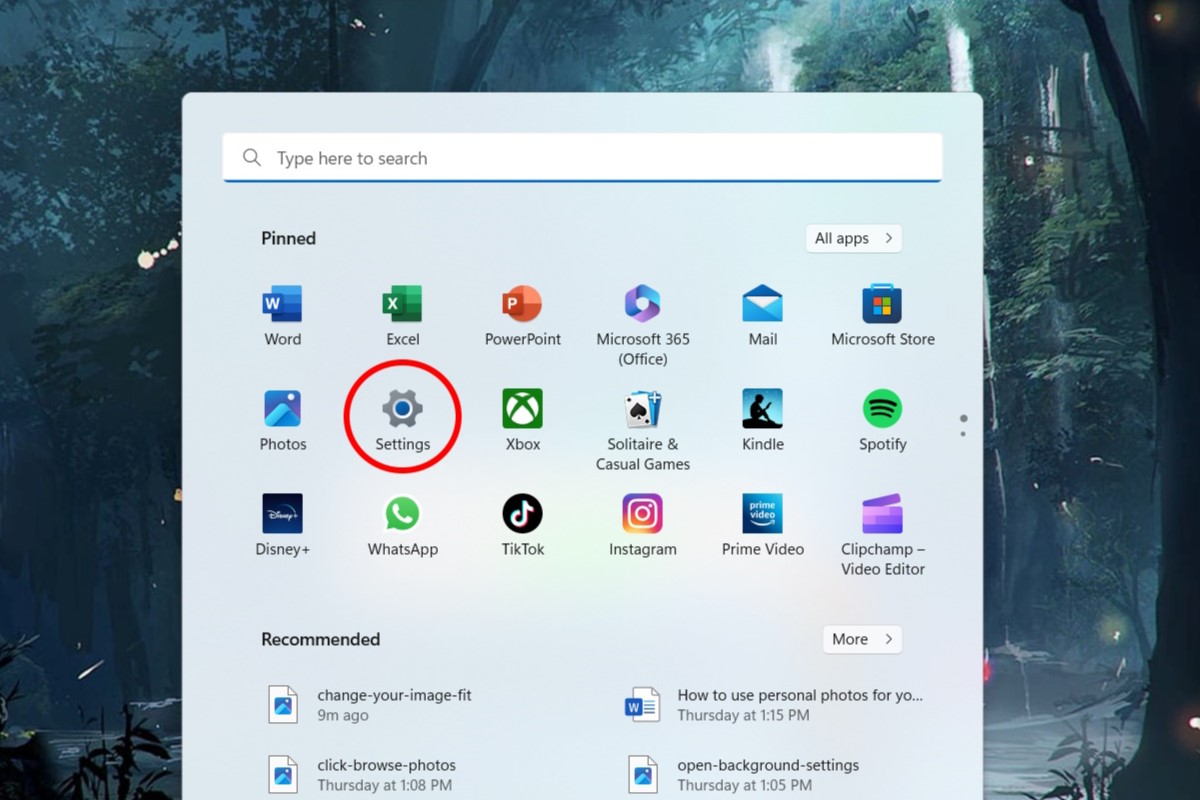
IDG / Alex Huebner
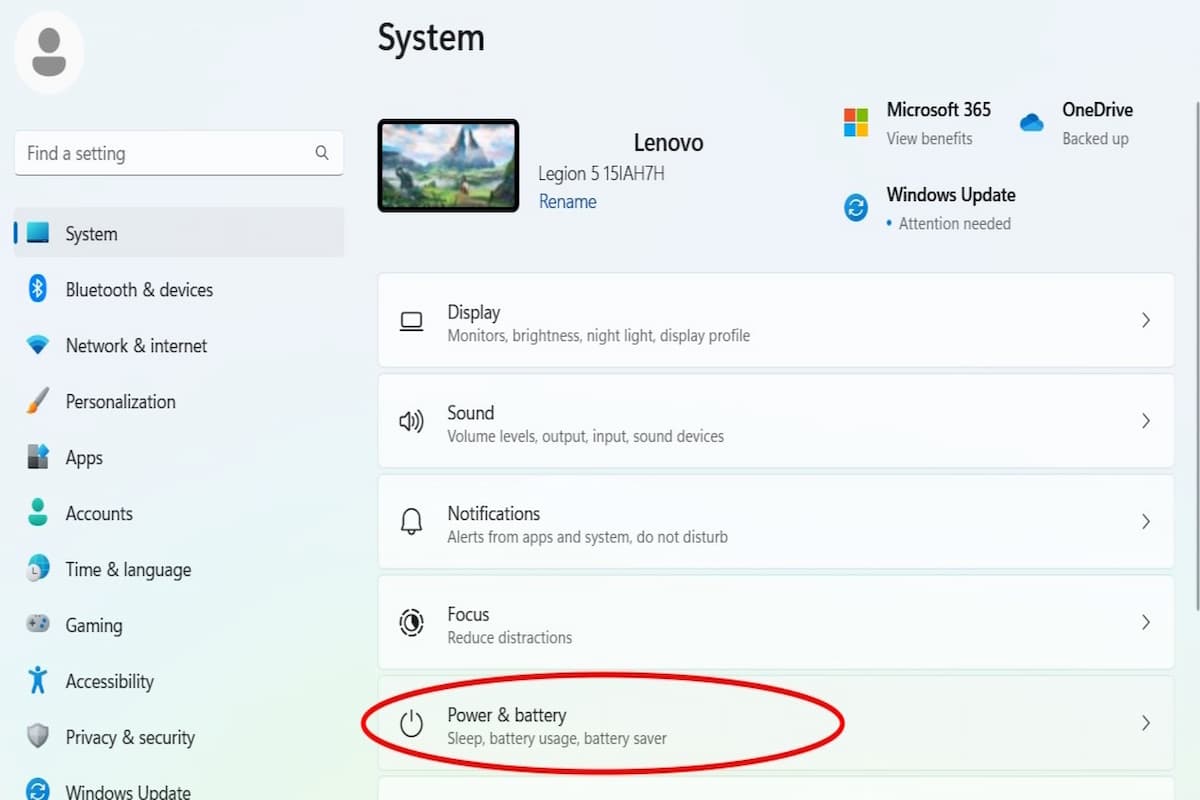
Click the “Power & battery” button.
IDG / Alex Huebner
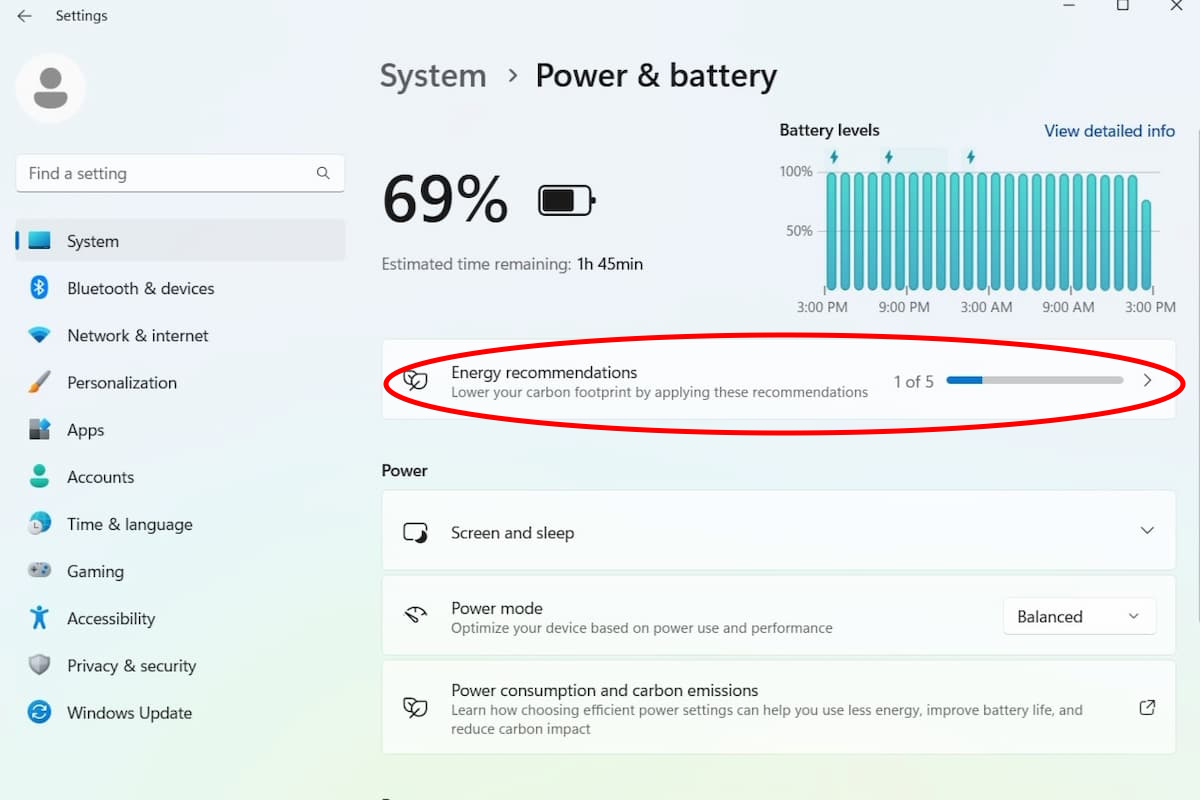
In this menu, you’ll see the “Energy recommendations” bar at the top. Left click through to open a new menu.
IDG / Alex Huebner
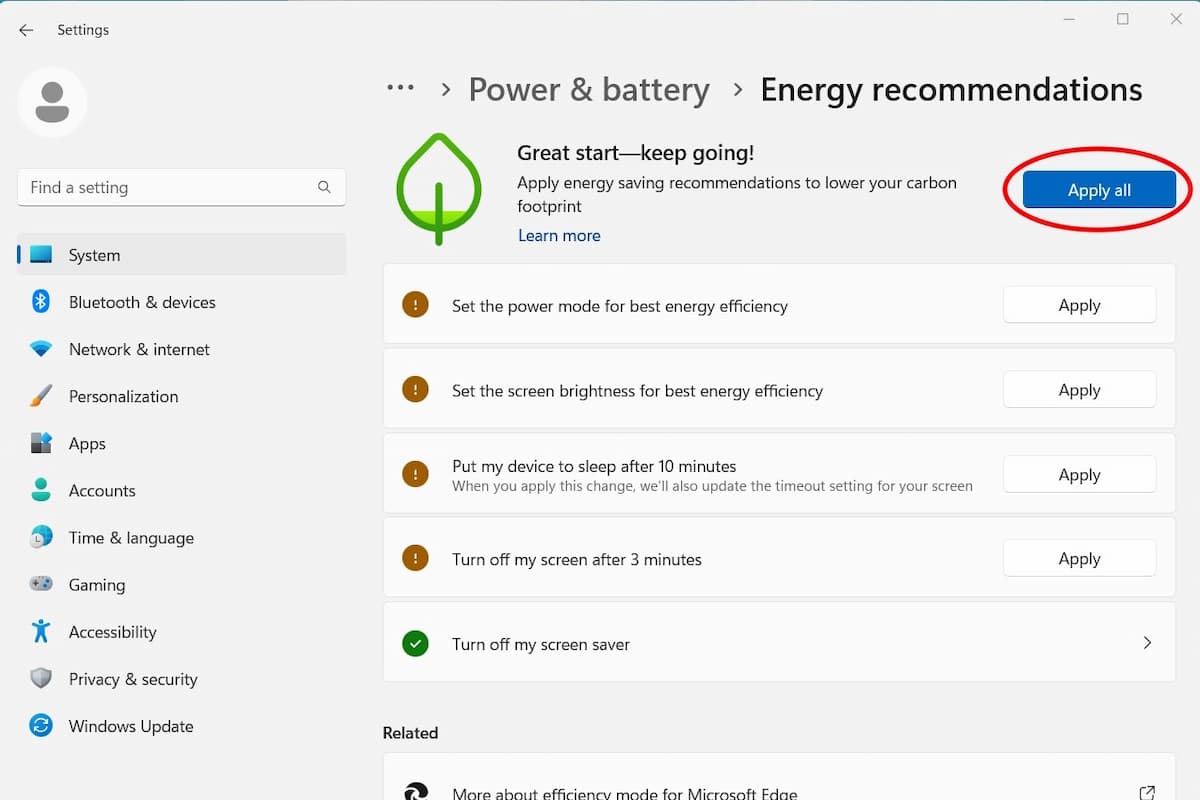
This action will open a page of recommendations. If you want to apply all of the recommended settings, click “Apply all”.
IDG / Alex Huebner
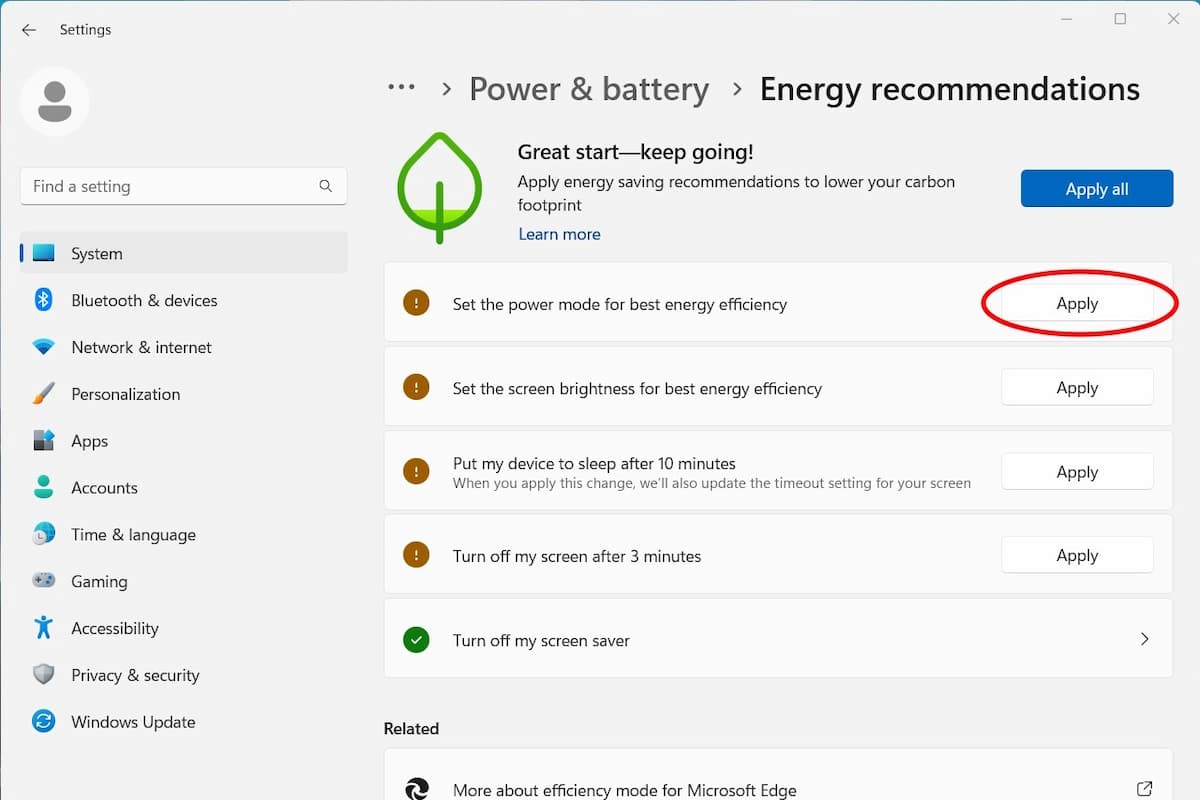
You can also chose to individually apply specific settings. To do this, click the “Apply” button next to the ones you want.
IDG / Alex Huebner